【1】学習内容
・コース名:業務効率化 BizHuck
・レッスン名:GAS
・やったこと:GASとLINE Developersを使用して精肉原料の賞味期限を決まった時間にLINEに通知する機能を作成してみた。
【2】本日の学習時間
・ 1時間 分
【3】本日の学習を通したポジティブな気づき
function checkExpirationDate() {
  const token = "トークン"
  const userId = "ID";

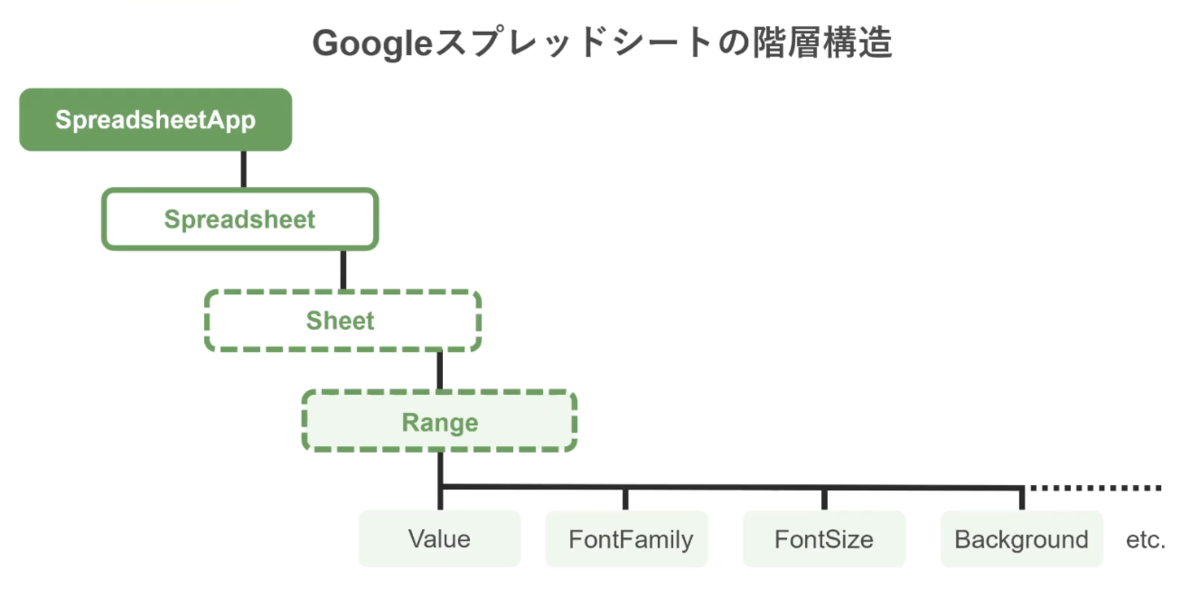
  const sheet = SpreadsheetApp.getActiveSpreadsheet();
  const data = sheet.getDataRange().getValues();

  // 今日の日付を取得
  const today = new Date();
  today.setHours(0, 0, 0, 0);

  const targetDate7 = new Date(today);
  targetDate7.setDate(today.getDate() + 7);

  const targetDate2 = new Date(today);
  targetDate2.setDate(today.getDate() + 2);

  let messageBody = "";

  for (let i = 1; i < data.length; i++) {
    const meatName = data[i][0];
    const bestBefore = data[i][1];

    if (!meatName || !bestBefore) continue;

    const limitDate = new Date(bestBefore);
    limitDate.setHours(0, 0, 0, 0);
    Logger.log(limitDate);

    if (limitDate.getTime() == targetDate7.getTime()) {
      messageBody += `「${meatName}」の賞味期限は1週間後の${Utilities.formatDate(bestBefore, "JST", "M/d")}です。\n 早めに商品化してください!\n\n`;
    }

    if (limitDate.getTime() == targetDate2.getTime()) {
      messageBody += `「${meatName}」の賞味期限は2日後の${Utilities.formatDate(bestBefore, "JST", "M/d")}です。\n 今日までに商品化してください!\n\n`;
    }
  }
if(messageBody) {
    const message = {
      to: userId,
      messages: [
        {
          type: "text",
          text: messageBody
        }
      ]
    };

    const options = {
      method: "post",
      contentType: "application/json",
      headers: {
        Authorization: "Bearer " + token
      },
      payload: JSON.stringify(message)
    };

    const response = UrlFetchApp.fetch("https://api.line.me/v2/bot/message/push",options);
    Logger.log(response.getContentText());
  } else {
    Logger.log("賞味期限通知が必要な肉はありませんでした。")
  }
}
・2日前と1週間前にLINEで通知を送る。
・トリガー
【4】難しかったこと・悩んだこと
・LINEに通知を送る方法。LINE notifyが終了してしまうため。
・セルを変えると読み取らないことがあるみたい。
【5】その他、考えたこと(任意)
・こちらの記事を参考にしました。
https://qiita.com/jksoft/items/4d57a9282a56c38d0a9c